Know the moment a page you watch changes.
PageLapse screenshots the pages you care about on a schedule, compares every capture against the last, and alerts you in email or Slack — only when a change clears your threshold.
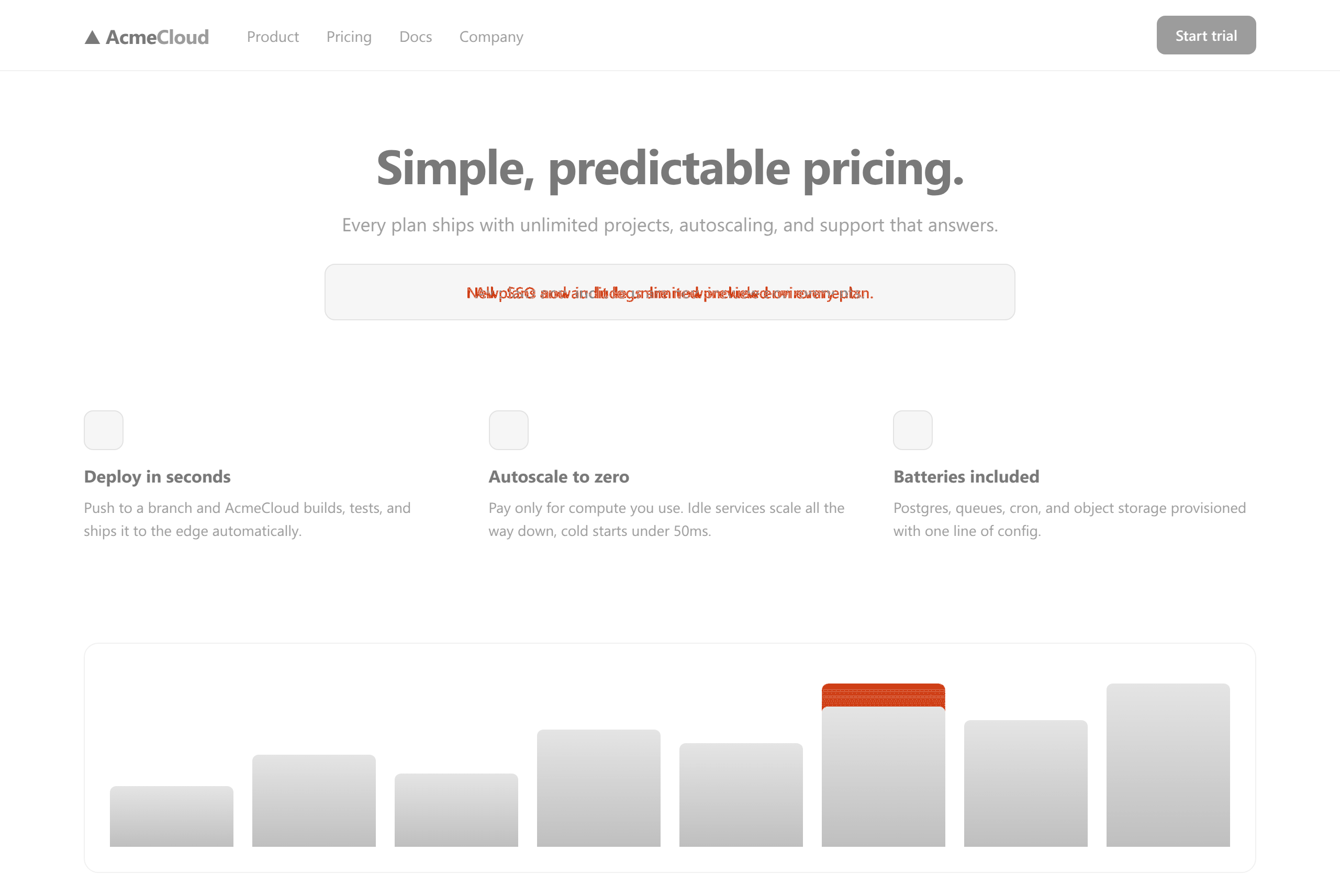
How it works
Three steps, then it runs itself.
Add a URL
Pick a schedule — hourly or daily — and a viewport, desktop or mobile. That's the whole setup.
We capture and compare
A headless browser takes a full-page screenshot and pixel-diffs it against the last snapshot. Cookie banners from ~20 common consent platforms are hidden automatically.
You get the alert
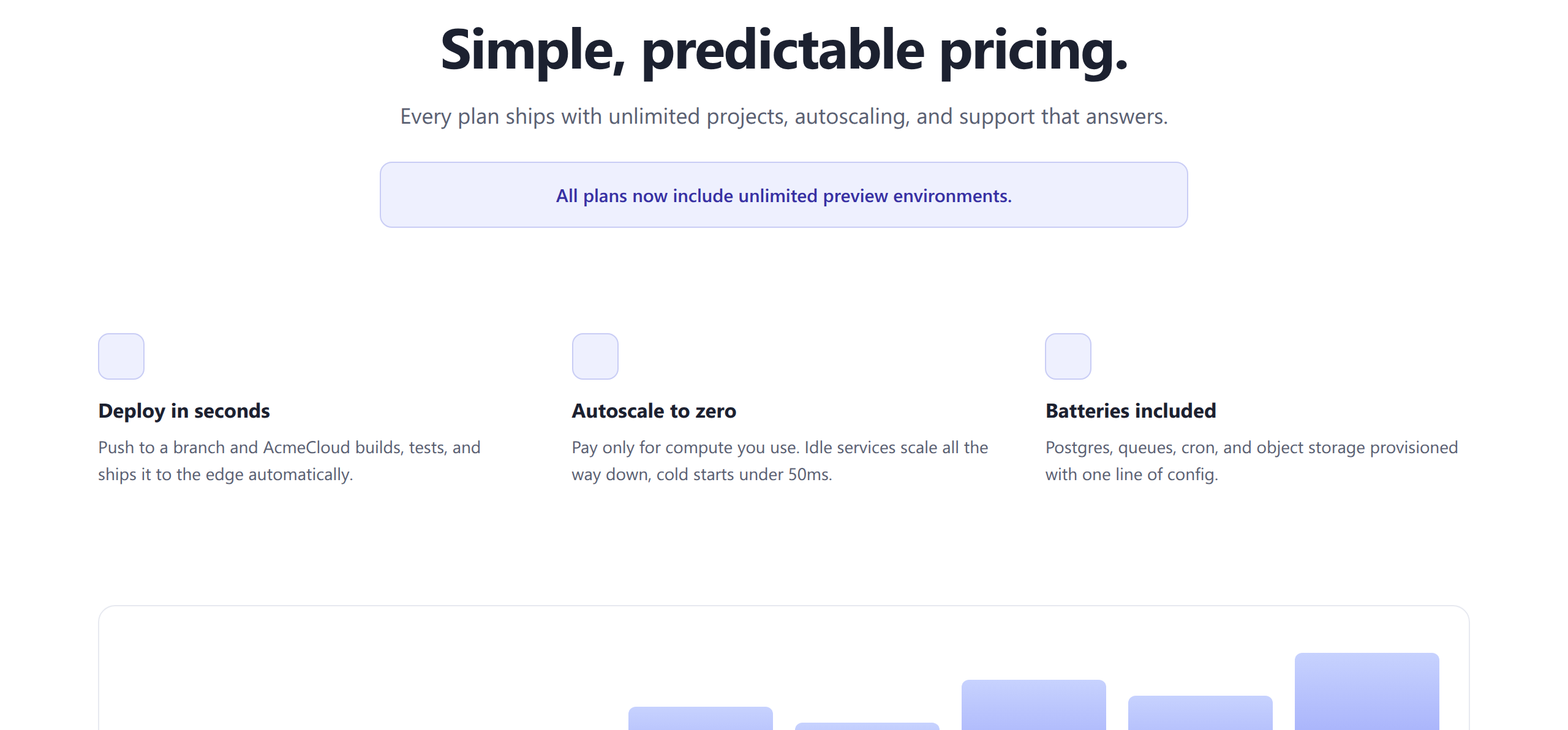
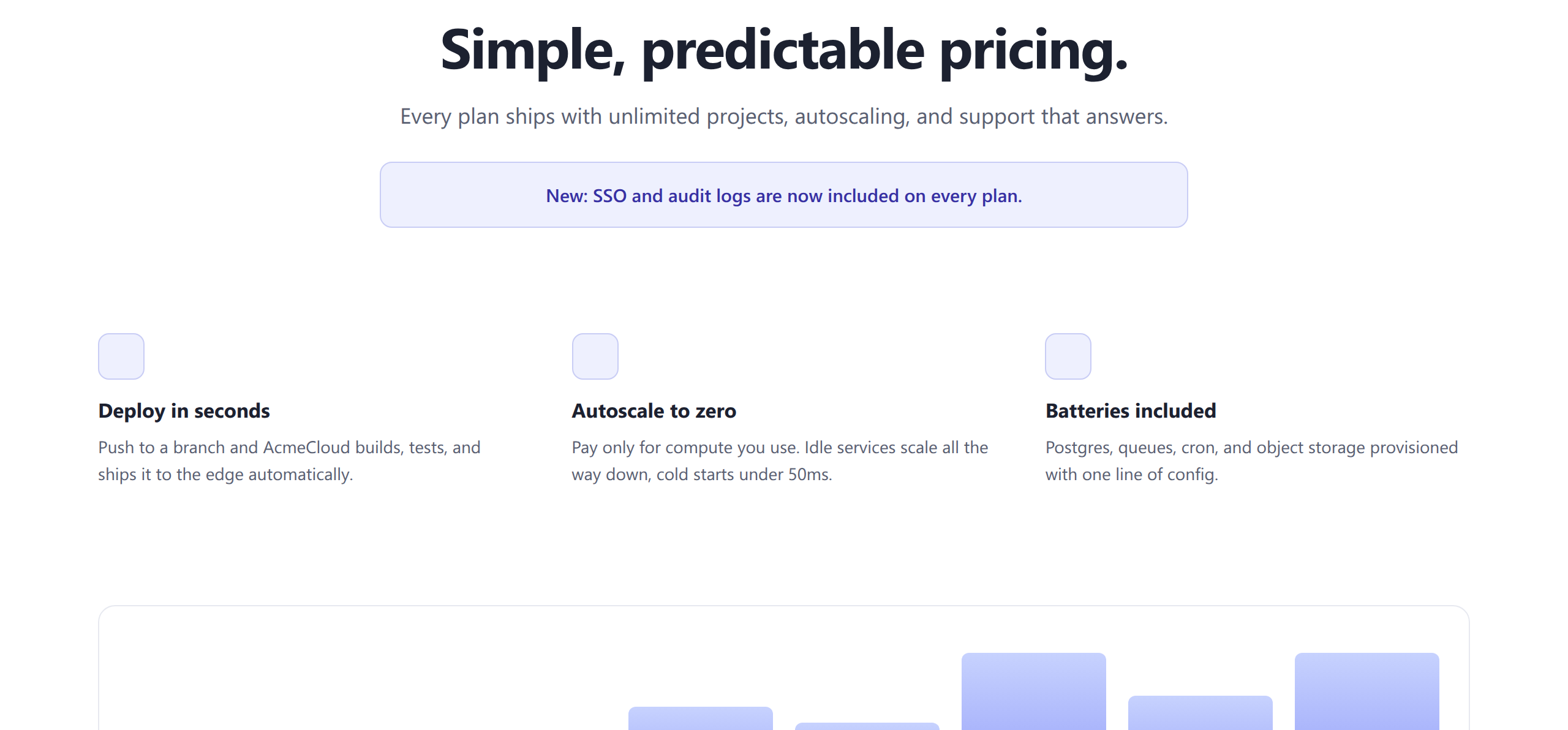
Email embeds the before, after, and diff images. Slack delivers links that unfurl to previews. Acknowledge it, mute it, or tune the monitor.
The diff
See exactly what changed — down to the pixel.
The trust layer
You define what “changed” means.
Most monitors cry wolf. PageLapse only alerts past a threshold you set, on the parts of the page you actually care about.
Sensitivity threshold
A change counts only when the share of differing pixels clears your per-monitor threshold.
Ignore regions
Draw boxes over rotating banners, dates, or ads — pixels inside are masked from every diff.
Hidden elements
Hide any element per monitor with a CSS selector before the screenshot is taken.
Cookie-banner suppression
Banners from ~20 common consent platforms — OneTrust, Cookiebot, Usercentrics and more — are hidden automatically.
Who watches pages
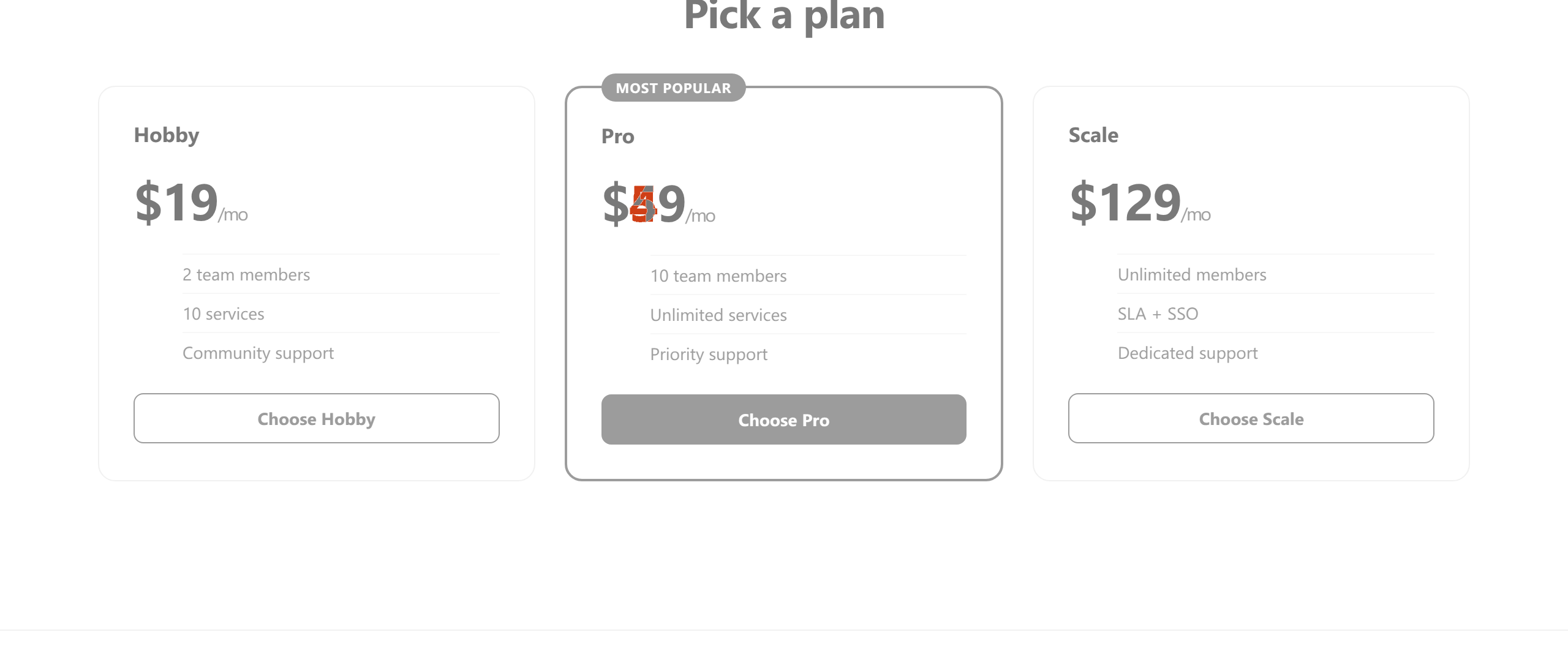
I found out a competitor changed pricing three weeks late.
Watch competitor pricing and landing pages hourly. Know the same day — with the before and after to prove it.
The deploy looked fine. The client's homepage didn't.
Agencies point PageLapse at client sites and catch visual drift after releases — before the client does.
Prove what the page said on March 3rd.
Every snapshot is timestamped and kept. When compliance or ad-ops asks what a page showed on a date, you have the picture.
Pricing
Free while in beta.
Starter
- 25 monitors
- Daily checks
- Email + Slack alerts
Pro
- 250 monitors
- Hourly checks
- Email + Slack alerts
Agency
- 1,000 monitors
- Hourly checks
- Email + Slack alerts
Questions
How often are pages checked?
Hourly or daily — you pick per monitor. Each check captures a full-page screenshot at your chosen viewport, desktop (1280×800) or mobile (390×844).
Where do alerts go?
Email and Slack. Email embeds the before, after, and diff images right in the message. Slack alerts arrive via an incoming webhook as links that unfurl to previews.
What counts as a change?
The percentage of pixels that differ from the last snapshot, after your ignore regions and hidden elements are masked out. You set the threshold per monitor. A page that changes size counts as fully changed.
What about cookie banners?
Banners from roughly 20 common consent platforms — OneTrust, Cookiebot, Usercentrics and others — are hidden automatically. Anything else can be hidden per monitor with a CSS selector.
Can it watch pages behind a login?
Not yet. PageLapse monitors publicly reachable pages only.
How long is my history kept?
Your full snapshot history is kept during beta.
How do I sign in?
With a passwordless magic link — enter your email, click the link we send. No password to make or lose.